There's a 4 MB ROM chip mounted on the motherboard; this stores code for an interactive shell menu and system calls to simplify I/O access , which games rely upon.

Splash animation after turning on the console.
Upon receiving power, both the MIPS R5900 and the IOP start at address 0xBFC00000 (that's the signature reset vector for all MIPS CPUs). To handle the dual-processor-same-address conflict, however, the code stored at that address (located at the BIOS ROM) will make each CPU branch to a different location based on its identifier.
In the case of the R5900, our main CPU follows these steps :
- Initialise the hardware.
- Load the Kernel from ROM into RAM. Once loaded, the Kernel provides a layer of abstraction to applications (mostly games) to interact with the hardware. Additionally, it exposes a multi-threading API (cooperative and priority-based).
- The Kernel loads
EELOAD, a module that, in turn, bootstrapsOSDSYS. The latter is the program that displays the 'Sony Computer Entertainment' splash animation and the shell menu.
Meanwhile, the IOP initialises part of its components and then loads multiple modules; these enable the IOP to access the console's hardware. Once finished, the IOP enters an 'awaiting command' state.
It's worth pointing out that the use of modules allowed Sony to release new hardware revisions of the PS2 without modifying the IOP's silicon (until they did), thereby lowering some production costs.
Interactive shell
The functionality of the PS2 shell is pretty much in step with other 6th-generation consoles.

Initial menu, appearing when there's no disc inserted.

Memory Card browser.

Saves browser. It shows up after selecting a Memory Card.

Save editor, displayed after selecting a save.

System Configuration.
The interface comprises multiple menus for managing typical operations. Some menus even feature 3D visualisations for tasks like organising save data stored on memory cards, whilst others rely on more primitive elements, such as when adjusting the clock. The shell also provides specialised options, such as changing the current video mode.
Updatability
The BIOS is indeed stored in read-only memory, but that did not stop Sony from amending it after the console left the factory. You see, behind the scenes, the BIOS implementation left two doors open for future alterations:
- Applications (games and
OSDSYS) can monkey patch kernel routines at runtime . Both the official SDK and the unofficial 'ps2sdk' made extensive use of this, as Sony's engineers subsequently discovered that the Kernel they shipped was riddled with bugs (pun intended). EELOADsearches an updatedOSDSYSbinary stored on the Memory Card or the HDD . Sony relied on this to add a DVD movie player and HDD support, as neither of these drivers were bundled in the earlier revisions of the console.- These updates were distributed on installation discs that came with the console or the HDD kit (found in the Final Fantasy XI box set).
- Unlike the Kernel, which had to remain backwards compatible with older SDKs, follow-up revisions of the console incorporated previous updates into the BIOS ROM.
- To control distribution, binaries had to be signed with Data Encryption Standard (DES) , a symmetric encryption system, with keys only known to Sony (in theory). Additionally, the binaries had to be stored on a device with MagicGate support.
In any case, Sony removed the second method in late PS2 models (with BIOS version 2.30). I presume Sony wasn't planning any further updates and this merely added attack surface.
Afterthought designs
While the original user interface remained in use throughout the console's lifetime (and became known worldwide), for a short time, Sony distributed a couple of enhancements.
The first one was HDD-OSD, also called Browser 2.0. It extended the original shell by adding the ability to browse the HDD's contents, allowing users to list and delete game data stored on the HDD using controls similar to those of the memory card manager. HDD-OSD came packaged on the HDD Utility Disc, which Sony bundled with the PS2 Hard Drive unit.
The second update was more exclusive and extraordinary; it was called PlayStation Broadband Navigator (PSBBN) and reimagined the PS2 experience with a focus on multimedia and online functionality. It was installed as a replacement GUI, introducing new design paradigms based on depth, transparency, and lighting.
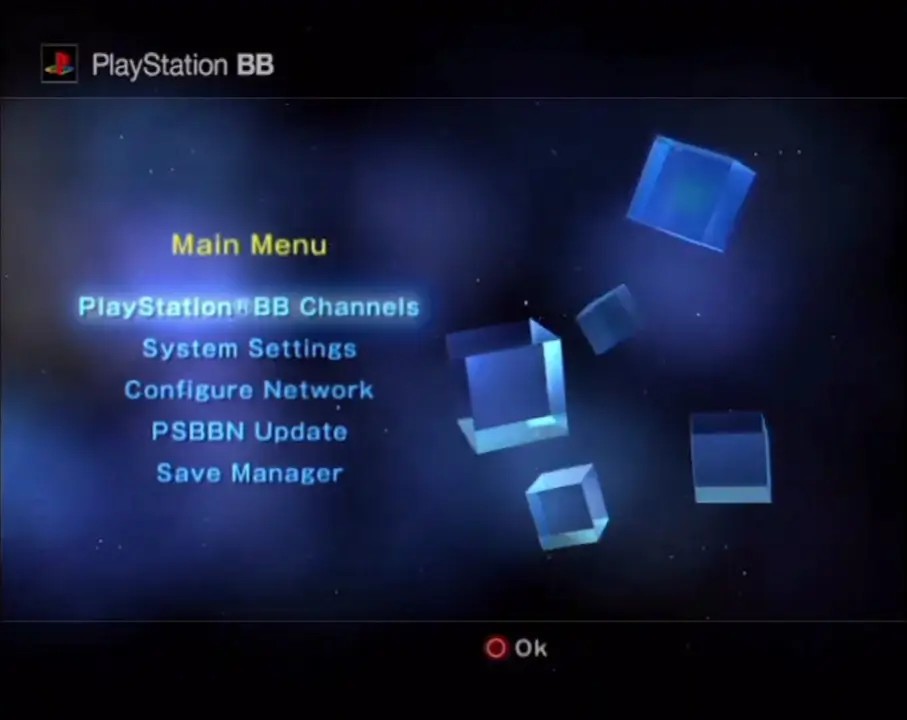
The Home screen.
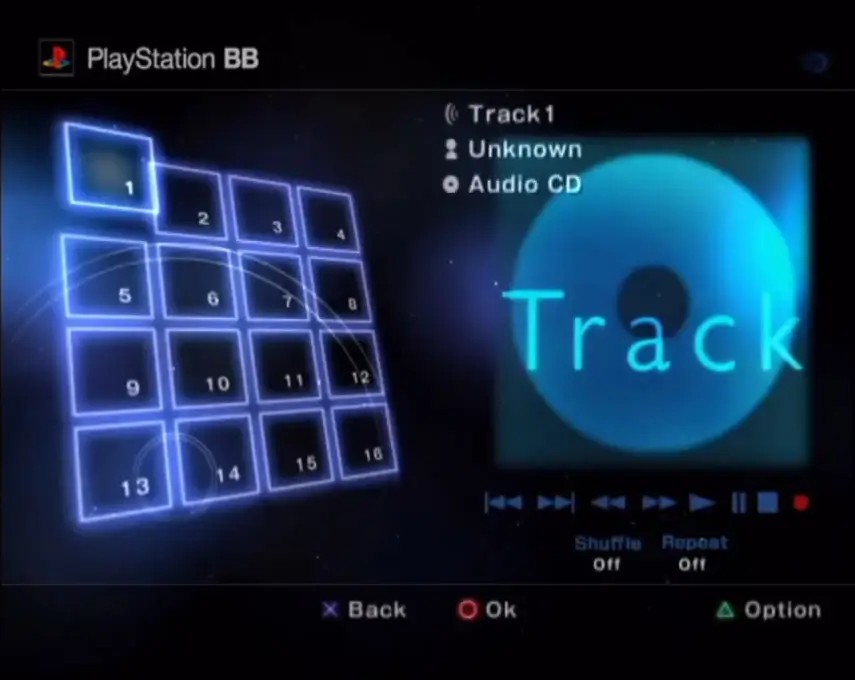
The Music channel.
PSBBN was released in 2002, and its UI also featured the concept of Channels, where many multimedia services would be offered:
- Game channels provided online portals by game studios to showcase their content. These also offered downloadable demos.
- The Music channel was an audio player that also allowed to import audio CDs onto the HDD.
- The Photo and Movie channels were used to import and view media from USB storage devices.
In addition to these, there was also a web browser based on NetFront, and a dedicated PS1 emulator called PlayStation One Portable Station (POPS), which could run PS1 games downloaded from a game channel onto the HDD .
I suppose this is what Microsoft originally feared when Sony showed that 'the PS2 would own the living room' — only Japanese living rooms for sure, since Sony only shipped PSBBN to Japanese users who purchased the 'PlayStation BB Unit' (a PS2 pre-equipped with the network/HDD kit and the PSBBN disc) .
As luck would have it, development of PSBBN services ceased when Sony moved to their HDD-less 'Slim' design in 2004, but it's interesting to note that, while user bases outside Japan never experienced this, Sony did bring the concept to the masses with the new XrossMediaBar interface on the PlayStation 3, albeit with a reduced degree of expressionism.