It's time to check how game development and distribution were carried out. Additionally, we'll see some exclusive services Nintendo prepared for this console.
Development ecosystem
Before the Nintendo 3DS arrived, developing for embedded system involved monumental efforts and high levels of patience. Compared to desktop applications, the tooling wasn't standardised and sometimes it didn't converge well with each other (ActiveSync is the clearest example I remember). The range of documentation didn't usually go beyond what the manufacturer provided, the same applied for technical support.
Entering the 2010s decade, and coinciding with the influx of an ARM-based smartphone industry and more efficient compilers, development for those platforms was no longer a complicated endeavour. Consequently, game studios developing for the Nintendo 3DS were able to enjoy this evolution. Now, Nintendo was not providing a standard toolchain yet, but they were on the right track (finally reached with the Nintendo Switch).
Curiously enough (and this is an interesting contrast), back in 2011, Apple offered Clang/LLVM 1.3 and OpenGL ES 3.0 for developing iOS apps, this was considered state-of-the-art for mobile projects. Well, you'll see throughout this section that this wasn't the case for Nintendo. Yet, at present, if you grab an old iPhone 4s and try to install any app on the App Store (its only official medium), it will tell you your system is too old. Whereas you can still play any retail game on your 3DS. Food for thought.
Hardware Kits
Nintendo partnered with two suppliers to produce development kits . The first supplier was the well-known Intelligent Systems and the other was Kyoto MicroComputers.
Among the many options, studios could rent a general-purpose 'CTR-BOX'. This is a metallic box housing the 3DS hardware, and connected to it is a 'dummy' 3DS case that serves as a controller and display. With it, developers could deploy, test and debug their code.
For more single-purpose tools, studios could get official flashcards to distribute game prototypes to external testers. These flashcards still only run on non-retail equipment, though this included cheaper options (with reduced functionality) than the fully-fledged CTR-BOX.
With the arrival of the New 3DS, IS and Partner offered the 'SNAKE' kits with updated hardware.
Software Kits
As always, licensed studios would also get an SDK package from Nintendo which included :
- A variant of
armcc(ARM's C and C++ compiler) modelled for the Nintendo 3DS and the ARM11 MPCore.- This will just produce code for the ARM11 MPCore. Both ARM9 and ARM7 are out of the equation, as 3DS games only run within the ARM11 cluster.
- Debuggers made for IS and Partner's development kits.
- APIs to communicate with the hardware and operating system's services.
- Four graphics libraries:
- GL: a simpler but slower OpenGL ES API.
- GD: a faster alternative to GL that generates PICA200 commands.
- GR: the closest-to-metal PICA200 command API, albeit with the steepest learning curve.
- GX: the general-purpose library used for PICA200 management.
- A 3DS app packager, so an executable can be created.
- Further libraries to ease common development tasks, such as implementing network protocols, online gaming and audio/video decoding and processing.
- A plugin for Visual Studio 2010, so it can be adopted as the main IDE.
- Assistant tools for the PICA200.
- Profilers, for measuring and optimising performance.
If that wasn't enough, developers also had access to NintendoWare to download code samples, libraries and further tools designed for Nintendo 3DS development. Furthermore, with the arrival of the New 3DS, game engines like Unity lent their support to this (once ignored) platform .
Medium
The Nintendo 3DS can run software from three different media.
Gamecards
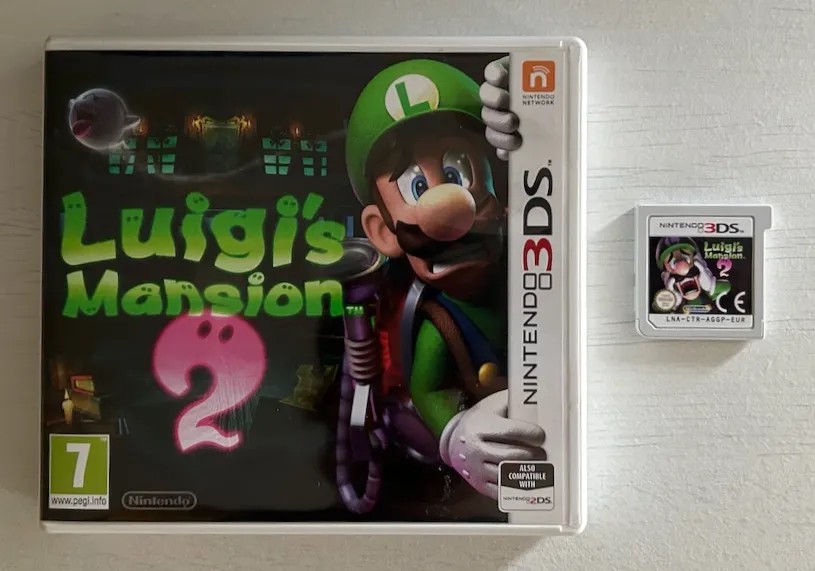
Example of a retail game. Notice the creative touch with Luigi holding onto the 3DS banner.
This is the distribution channel for retail software. Internally called 'CTR cards', they're just another proprietary card/cartridge designed by Nintendo. To be fair, they're not very different from NTR Cards (used by the Nintendo DS), aside from a cosmetic notch at the top right. Inside them, there is read-only and/or writable storage.
The variants of CTR cards range drastically. Their PCB can bundle a ROM chip ranging from 128 MB to 4 GB in size, while also including some 'backup memory' to store saves, this can be either 128 KB or 512 KB. In other variants, the whole CTR storage is instead filled with Flash (up to 2 GB), and it's partitioned to store both the game and saves in the same physical chip.
Moreover, since games will be bundling the official SDK as well, the usable capacity of ROM/RAM allowed to the game depends on the revision of the SDK linked to.
Internally, the ROM chip is connected to an 8-bit data bus , while the backup memory relies on a serial bus. Both are connected to a 16.6 MHz clock. When the card is inserted into the console, the 3DS first queries it using NTR (Nintendo DS) commands , and then switches to 'CTR mode' once it detects it's a 3DS card.
eShop/SD Card
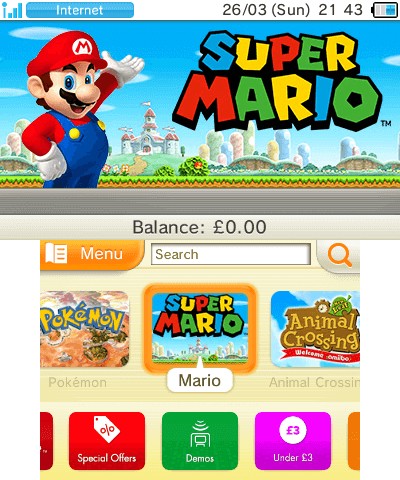
The Nintendo eShop store for the Nintendo 3DS.
Expandable storage, an icon of the 8th generation of consoles. The Nintendo 3DS now enjoys installing and launching software from the SD (or microSD) card; and with it, retail cards are no longer the only medium for games. In fact, SD storage is the result of an emerging distribution channel: The Nintendo online store, bundled into every Nintendo 3DS.
Thanks to the eShop, there were new distribution techniques: users could pre-order games and DLCs before the shipping date . These would get downloaded ahead of time, but can only be played once the release date arrived.
When it comes to storing the respective saves, Nintendo allows its downloaded software to request up to 1 MB of SD card storage. However, this rule is waived if the retail counterpart already requires more space, in which case the system will allocate as much 'backup memory' as the respective CTR card already provides.
Local wireless
Download Play, a debuting feature of the Nintendo DS that enabled players to transfer small games between their consoles, has been pushed into the Nintendo 3DS. It now comes with a revamped protocol that relies on a thick security layer, in line with the rest of the software executed in the new console.
I'd say the big difference now is that transferred games (or 'demos', for it's worth), are now installed into NAND (as any other installable package) . There's only one slot reserved for them, so the installed program is replaced whenever a new game is transferred in.
Virtual console(s)
If, after all explained, users still got bored, Nintendo prepared another offering for them: Virtual Console.
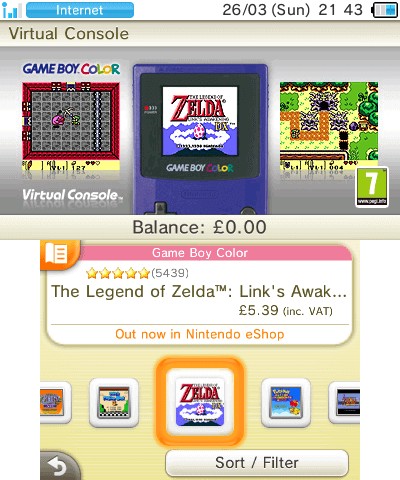
Virtual console catalogue for Game Boy Color games.
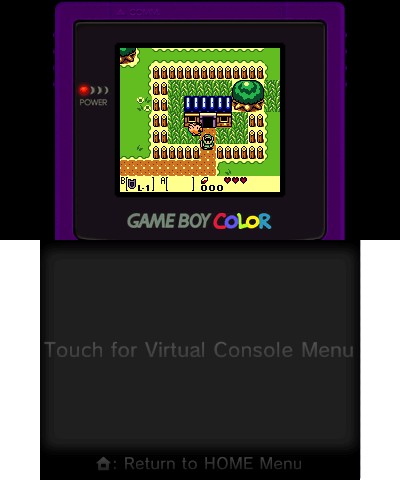
Example of Game Boy Color game running on the Nintendo 3DS. By default, the game is scaled to full-screen (keeping the original aspect ratio). However, by holding 'Start' or 'Select', you get a 1:1 scale with a nice-looking frame.
Once again, thanks to the bundled eShop app, Nintendo also expanded its 3DS-only catalogue by incorporating games originally published for the following consoles:
- Nintendo DSi (DSiWare only).
- NES/Famicom.
- Sega Game Gear.
- Game Boy.
- Game Boy Color.
Virtual Console games behave as any other application installed into the console. Except for DSiWare software, the application package includes a ROM and emulator. The latter implements interesting capabilities, such as Download Play (for some games) and save states.
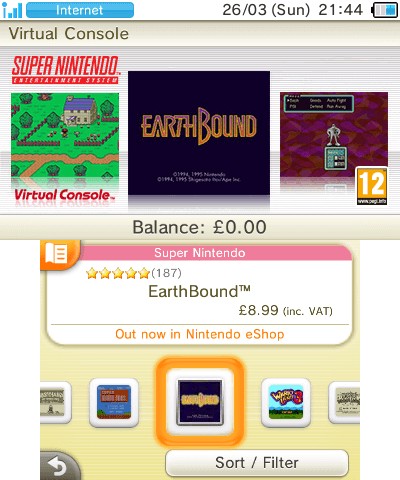
Virtual console catalogue for Super Nintendo games (only for New 3DS users).
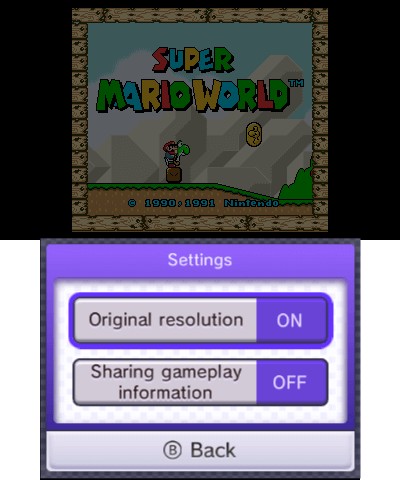
Example of an SNES game running on the Nintendo 3DS (the display looks dim because the game is paused). Notice how the options menu allows you to switch between 4:3 and 8:7 aspect ratios.
Once again, things were different for New 3DS users, as they could also access the Super Nintendo catalogue. This particularly strikes me as odd, as I remember a time when (homebrew) SNES emulators were developed for the original Nintendo DS (with its mere ARM9-ARM7 and a couple of megs of RAM).
Extra backwards compatibility
Now, here's another peculiarity of Virtual console games: this console can also play Game Boy Advance games, officially. Yet, they're not available for everyone. Only those who purchased a Nintendo 3DS before August 2011 (right before the console received an $80 price cut), became members of the 'Ambassador Program' . One of the perks included access to a selection of GBA games which, for one reason or another, were kept exclusive until date.
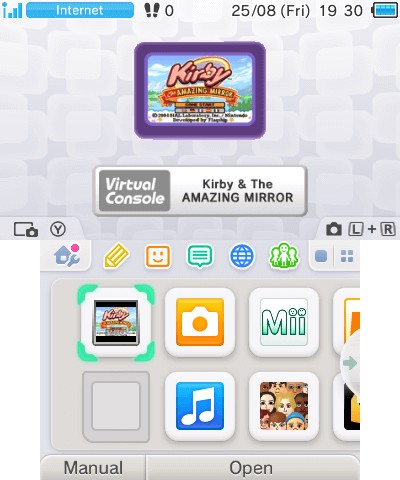
Example of GBA game showing on the HOME Menu.
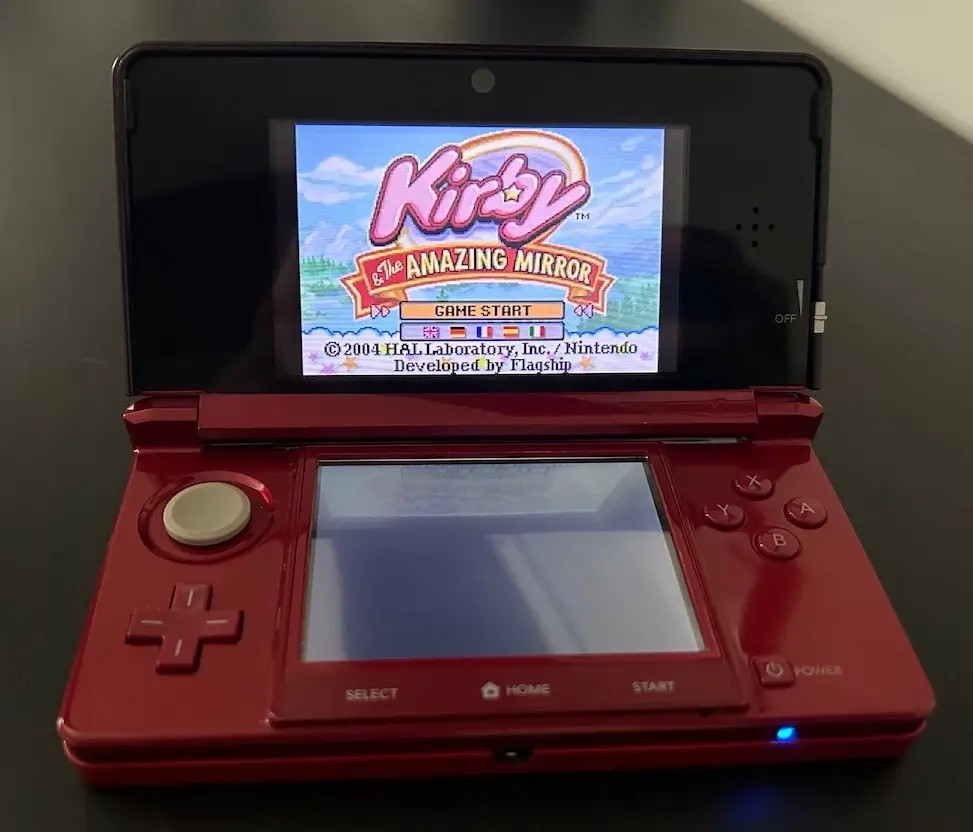
GBA game running without emulation on the Nintendo 3DS (there's no screenshot functionality on AGB_FIRM).
Even more puzzling, GBA titles don't run on the ARM11 using an emulator (albeit there's one installed, but never been used!). Instead, they kickstart the third firmware, AGB_FIRM, to run natively on top of the ARM7. In the end, these exclusive GBA games remained the only use for AGB_FIRM, as if Nintendo planned for something bigger in the future, but never materialised. This is another example of how the Nintendo 3DS possessed more hardware than the software ever took advantage of.
If you're curious, GBA titles make use of the bundled ARM7 core instead. Thus, they don't allow for the extra features that emulators (running on ARM11 cores) provide. Although, this happens at the exchange of running at full speed and precision. Be as it may, since the 3DS doesn't contain a GBA cartridge slot, the GBA game is instead copied into FCRAM before the system reboots into AGB_FIRM, and then lets the ARM7 take control (while the ARM11 and ARM9 provide basic support tasks) .
With all these capabilities, and on top of being a portable console, one can't help but wonder why Nintendo didn't distribute GBA and Nintendo DS/DSi games on the eShop as well. Most probably a marketing and licensing issue, I sense.
Game updates
Another requirement of the 8th generation of consoles, games can now receive patches after the shipping date. That's right, no more need to quality control the game before selling it!
Leaving irony aside, game updates are distributed through the eShop as well , which applies to all types of games (except Download Play). All updates are downloaded onto the SD card and eShop games get their updates applied altogether (along with the game itself).
Network service
Out with the old (Nintendo Wi-Fi Connection), in with the new (Nintendo Network)! The same service offered with the Wii U is also implemented on the Nintendo 3DS, and they're admirably unified, so I recommend checking the Wii U article where it's been explained in detail.