There's only one company that keeps altering the standard structure of all my analyses, and that's Nintendo. This time, I need to start with the stereoscopic screens (a.k.a. '3D without glasses') before diving into anything else.
First things first, the Nintendo 3DS, as a successor of the Nintendo DS, includes two LCD screens. The upper screen has a resolution of 800 x 240 pixels and somehow can display images with a sense of depth. When I first read this, only questions popped into my head:
- What optics principles are they applying?
- How is the screen designed?
- How do games comply with this system?
Well, here are the answers!
Principles
Liked it or not, the fundamentals are not so different from the Virtual Boy, which I've happened to analyse two years before. To recall, the Virtual Boy displays two images, one to each eye, and shows objects individually shifted from the centre. By looking at the two pictures at the same time, they are perceived as some objects are behind others (sense of depth). This is the basis of Stereoscopic Parallax.
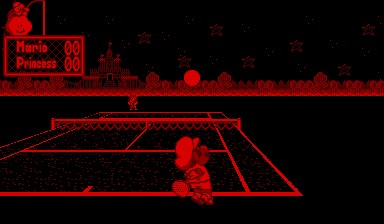
Left display.
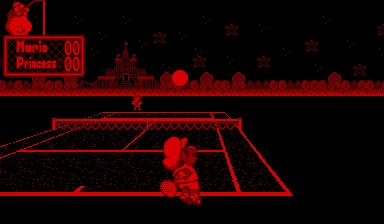
Right display.
Mario's Tennis (1995).
Now, the way the Virtual Boy executed this was a bit cumbersome: it required users to place their heads close to the eyepiece and then adjust the focal length and inter-pupil distance. 15 years later, Nintendo rightly said 'No' to all of that nuisance, and designed a new system where users could enjoy 3D-looking scenery without considerable intervention.
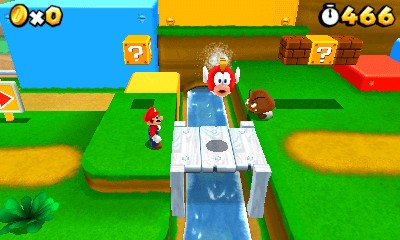
Top screen, left eye.
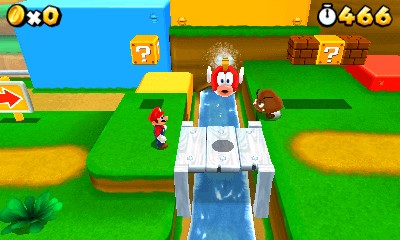
Top screen, right eye.
Super Mario 3D Land (2011).
This brings us to our next question.
The special screen
Take a look again at the resolution of the upper LCD screen. On paper, it says it's 800 x 240 pixels wide, which results in a ludicrous aspect ratio.
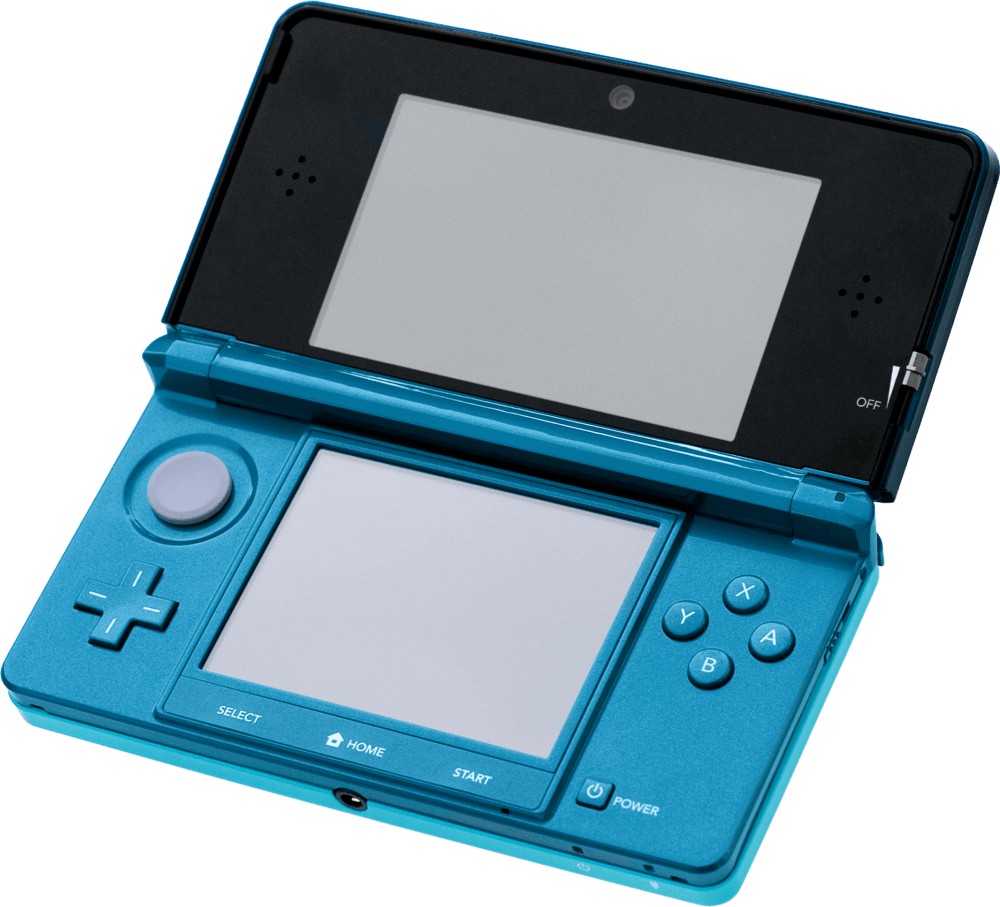
The Nintendo 3DS again , take a closer look at its screens.
In reality, the physical screen is made of half-width pixels and operates in two modes:
- Traditional/2D mode: When the stereoscopic function is disabled, groups of two horizontal pixel pairs are treated as a single one.
- To tell the truth, the screen can still display a frame of 800 x 240 px, although no commercial game ever used this.
- Stereoscopic/3D mode: All pixels are treated individually, and with it, the screen displays two frames of 400 x 240 pixels at the same time.
Moreover, to perform stereoscopic parallax, this particular LCD houses an extra layer called Parallax Barrier . These opaque shutters deviate the backlight beamed behind the pixels of the LCD, so each eye will receive the light of a different subset of pixels . The half-width pixels will also appear to be wider, thereby giving the feeling they have the traditional aspect ratio.
All in all, this recreates the original effect of the Virtual Boy without requiring controls for adjustment.
The technology is not perfect, however, as there are a few caveats:
- The parallax barrier requires extra brightness, thereby impacting the battery life.
- The user must not hold the screen in a tilted position (compared to the user's eyes). Otherwise, the user will end up seeing a confusing mix of the two parallax frames, which can be a disorienting experience. Not to mention the eyes won't enjoy the extra fatigue.
- Combining the fact that the user must maintain a fixed posture while playing, and that stereoscopic parallax can tire the eyes quicker. The 3D feature, as a whole, can easily become an unnecessary hassle for most.
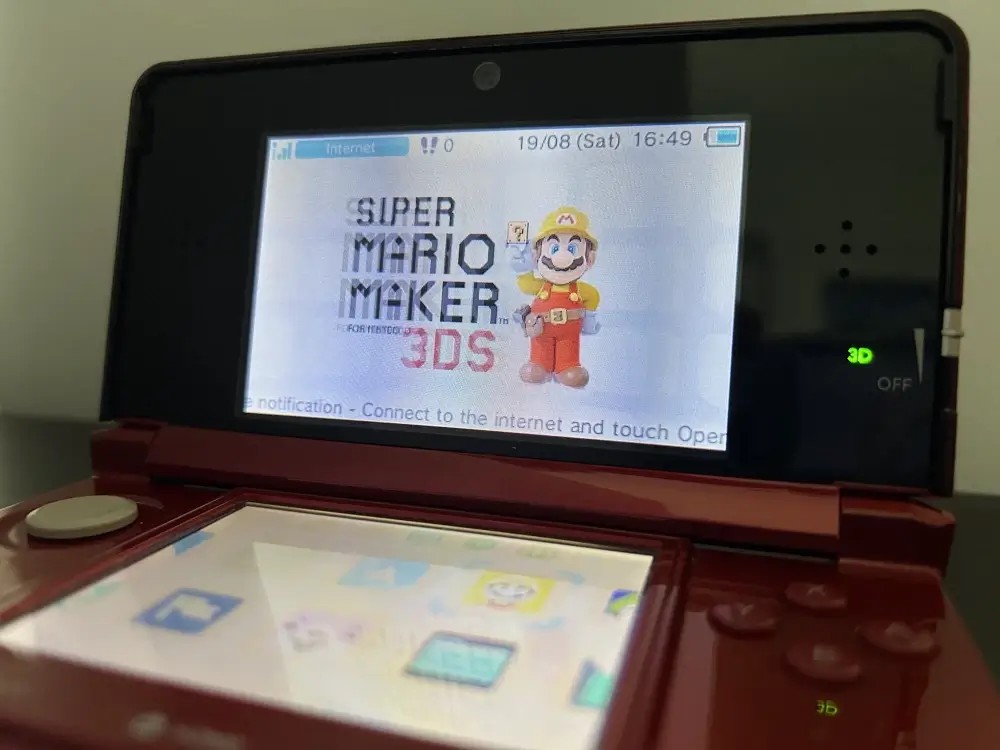
My attempt to capture the tilt effect of the original 3DS. The 3D depth slider (at the right side of the screen) is all the way up, and by looking at the screen from one side, a ghosting effect appears on the top screen. This is quite eye-straining to look at in reality!
To remediate things, Nintendo added a slider control (called 3D depth slider) to adjust the level of depth between objects. In doing so, it either increases or decreases the difference between the two frames. This was done to reduce the depth effect for people who didn't find it enjoyable or too fatiguing.
Setting the 3D slider to the max can be disorienting at first. In my experience, my eyes eventually got focused, at which point I perceived the top LCD screen as if I were looking through a window. The main problem is that users will need to continuously shift their eyes to see the bottom screen, and the repeated action can be very straining.
As a side note, one can't help but find it amusing how the graphics pipeline has gone full circle when rendering stereoscopic frames. During rendering, 3D data is projected into a 2D space, and now with the stereoscopic screen, the third dimension is 'restored'. At this point, let's just use holograms and skip the 3D projection stage altogether!
A small update

Top part of the New 3DS XL. At its centre, there's a front camera and an infrared LED, both used for head tracking.
With the advent of the 'New 3DS' model, Nintendo revisioned their stereoscopic screen in an effort to reach enjoyability levels. In the new model, the console incorporates a face-tracking mechanism to tackle the tilting effect, so users don't need to worry about keeping a good 'head-console posture' anymore.
The special games
Now for this system to work, games must play along (pun intended). Just like they traditionally interact with the GPU to draw frames on the display, they must now broadcast two frames of the scenery but with objects slightly shifted.
To make life easier for developers, there are official APIs that assist in this, especially for those games with 3D sceneries. These APIs help by providing routines that construct two projection matrices, the graphics pipeline then uses them to render the two slightly-shifted frames.